
To build an IEEE bibliography in Overleaf with classic BibTeX, cite keys from your .bib file, select IEEEtran with \bibliographystyle{IEEEtran}, and print the list with \bibliography{references}. If the PDF shows [?], check the key and database path first. If the numbers follow author names, check whether the template selected IEEEtranS. This guide provides two real source records, a working example, and three deliberately broken versions with locally compiled PDF comparisons. Keep a template that uses biblatex with its own commands and backend.
Start With a Working IEEEtran Example
Start with a separate project containing two references. That gives you a small result to check before you change a long manuscript. Overleaf needs an account to save and compile a project. This example uses IEEEtran in conference mode with classic BibTeX; use your venue's supplied template for the actual submission.
Create main.tex and references.bib at the project's top level. Set main.tex as the main document and use pdfLaTeX. Copy the contents below, then press Recompile. Overleaf's file guide explains how to create or upload the database.
We checked the two publications against their source records and compiled the example locally. IEEE Xplore identifies LeCun and colleagues' 1998 paper, with pages 2278-2324. Springer's record identifies Dijkstra's 1959 article, with pages 269-271. The sentences are test text written for this guide. The images show compiled PDFs; Overleaf's controls follow its official documentation.
\documentclass[conference]{IEEEtran}
\usepackage{cite}
\begin{document}
\title{IEEEtran Bibliography Check}
\author{\IEEEauthorblockN{Bibliography test document}}
\maketitle

\section{Citation sequence}
Neural-network methods appear first \cite{lecun1998}.
The graph algorithm appears second \cite{dijkstra1959}.
The neural-network paper is cited again \cite{lecun1998}.

\bibliographystyle{IEEEtran}
\bibliography{references}
\end{document}@article{dijkstra1959,
author = {Edsger W. Dijkstra},
title = {A note on two problems in connexion with graphs},
journal = {Numer. Math.},
volume = {1},
pages = {269--271},
year = {1959},
doi = {10.1007/BF01386390},
note = {doi: 10.1007/BF01386390}
}
@article{lecun1998,
author = {Yann LeCun and L{\'e}on Bottou and Yoshua Bengio and Patrick Haffner},
title = {Gradient-based learning applied to document recognition},
journal = {Proc. IEEE},
volume = {86},
number = {11},
pages = {2278--2324},
month = nov,
year = {1998},
doi = {10.1109/5.726791},
note = {doi: 10.1109/5.726791}
}Download the complete example and fault variants, or save main.tex and references.bib individually. The note fields make the DOIs visible with this IEEEtran style. A field present in a database can still be omitted from the formatted bibliography.
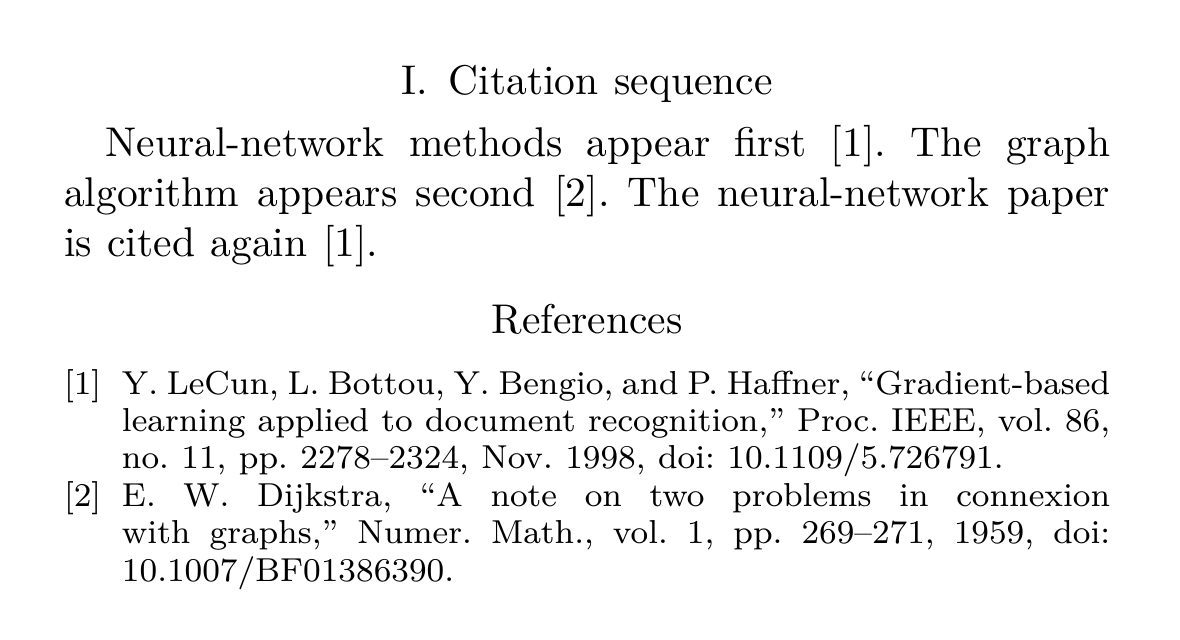
The working PDF gives the first sentence [1], the second [2], and the repeated citation [1]. LeCun comes first in the reference list even though Dijkstra is first in the database. This gives you a specific result to compare with your own project.
Match Citation Keys and Bibliography Files
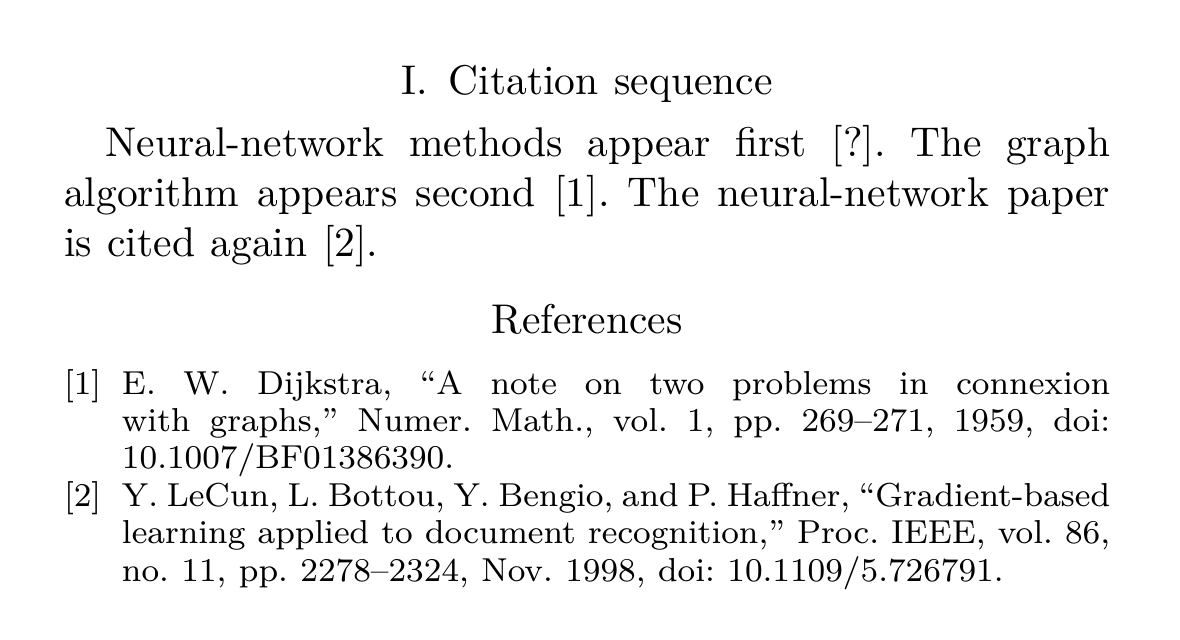
When an Overleaf IEEE citation is undefined, open the database beside the manuscript. Compare the key inside \cite{...} with the identifier immediately after @article{. Keep the spelling and capitalization identical. In our first fault, the manuscript says \cite{lecunn1998}, with an extra n; the database says lecun1998.
That one-character change produces [?] for the first sentence. The correctly keyed Dijkstra citation and the later LeCun citation still resolve. The log warns about the missing lecunn1998 entry. Change the first key back to lecun1998 and recompile; the sequence returns to [1], [2], [1].
Next, check the file named in \bibliography{references}. It points to references.bib. A database named sources.bib needs \bibliography{sources}. For a file inside a folder, include its path, such as \bibliography{bib/references}. Check that the selected main document is the file containing the bibliography command.
A key offered by the editor's autocomplete only tells you the editor found a record. The compiler still needs the right database and bibliography instructions. When the log names a missing file, repair that path before changing the citation style. When it reports a syntax error in the database, inspect the cited entry for an unmatched brace or missing comma.
Check the Bibliography System and Style
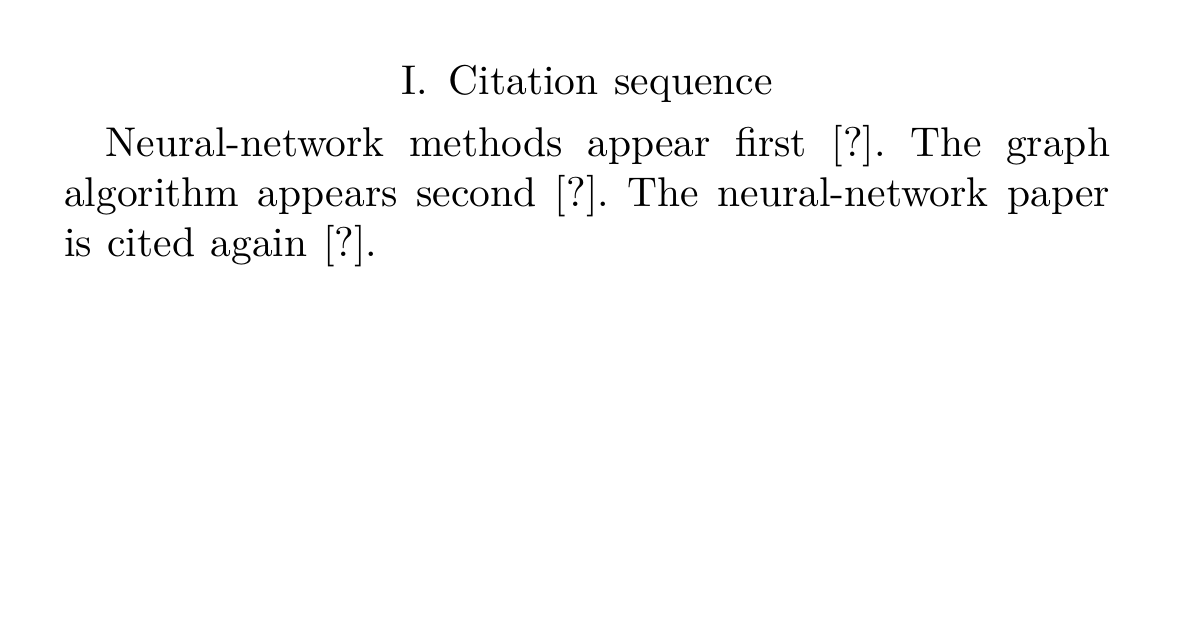
If IEEEtran references are not showing, look for the command that prints the list. In our second fault, removing \bibliography{references} leaves all three citations unresolved and removes the References section. Restoring the command produces the complete working output again. Keeping a .bib file in the project alone does not print its entries.
Identify the system your template already uses before adding commands from another tutorial. Overleaf's bibliography overview explains that the systems use different instructions. This table keeps the two common configurations separate.
| System | Database and style | Print the list |
|---|---|---|
| Classic BibTeX, used in our test | \bibliographystyle{IEEEtran} selects the style; \bibliography{references} names the database. | \bibliography{references} also inserts the generated list. |
| biblatex with Biber | The preamble loads biblatex with an IEEE style and adds the file with \addbibresource{references.bib}. | \printbibliography prints the list. |
For an existing biblatex project, inspect its package options and backend. Overleaf's biblatex guide explains the style and sorting options. style=ieee selects its IEEE formatting and sorting=none requests citation order. Those settings belong to biblatex. They do not configure IEEEtran.bst. Follow the template's system throughout; do not add a second bibliography package to repair a missing key. Our downloadable tests use classic BibTeX.
For classic BibTeX, IEEEtran and IEEEtranS also differ. The package author's guide describes IEEEtran as unsorted, preserving citation order. IEEEtranS sorts by author and related names. Use the style required by your venue.
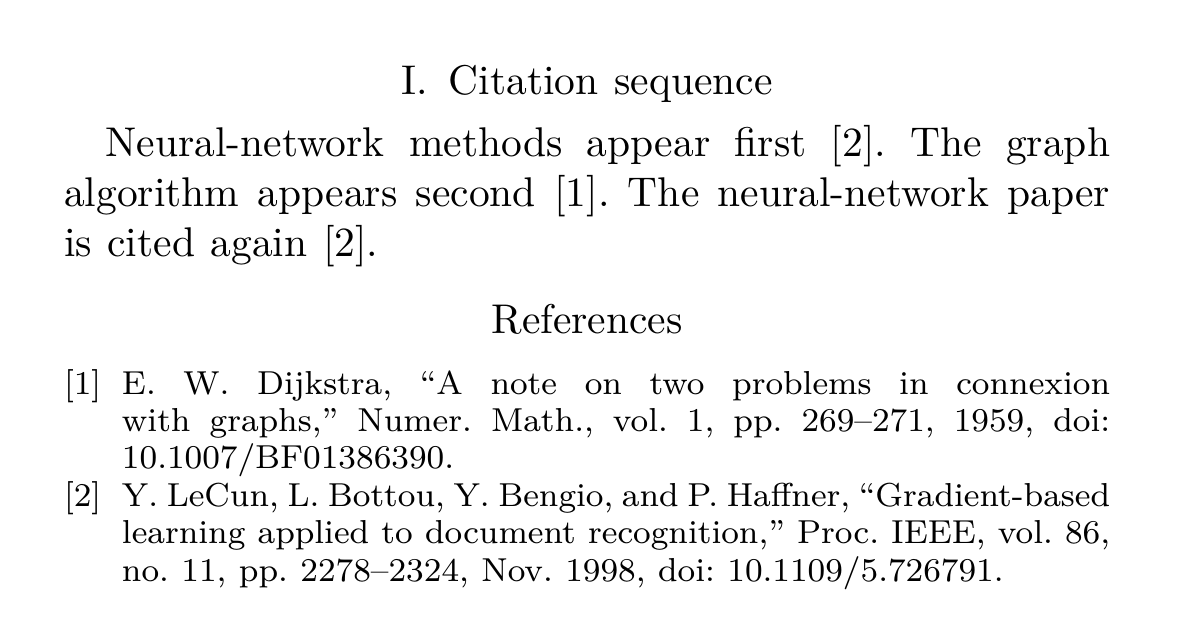
Our third fault selects \bibliographystyle{IEEEtranS}. Dijkstra moves to the first reference and the sentence sequence becomes [2], [1], [2]. Switching back to IEEEtran restores citation order. Moving entries around inside references.bib does not repair an alphabetically sorted style.
Recompile and Compare the Citation Order
After repairing a key, file path, or style, open the Recompile menu and choose Recompile from scratch. Overleaf's cache guide describes this as removing generated files and immediately rebuilding the project. Your source files remain available. The rebuild cannot supply a missing database entry or correct a misspelled key.
Overleaf runs the required compilation passes through latexmk. Its BibTeX explanation traces how citation information enters the auxiliary file, BibTeX produces the bibliography, and later LaTeX passes resolve the numbers. A question mark that survives a finished build needs investigation in the log.
We also moved the Dijkstra sentence before the first LeCun sentence while retaining IEEEtran. The rebuilt list gives Dijkstra [1] and LeCun [2]; the repeated LeCun citation remains [2]. Inspect the reordered PDF. This checks renumbering after an edit. Our IEEE in-text citation guide explains the numbering rules in more detail.
Before submitting, read the first occurrence of each source in the PDF and match it to the numbered entry. Check that later uses keep that number, then compare the fields with the publication and the IEEE Reference Guide. LaTeX will happily format a wrong page range supplied in your database. The compile log cannot check that fact for you.
If you use this site for a separate metadata check, keep your manuscript's original database and keys. The BibTeX to IEEE guide covers the generator's import and export limits. Its static LaTeX export contains formatted reference lines and does not drive \cite{...}. The journal abbreviation guide helps check the venue names stored in your database.
Frequently Asked Questions
Why does a source in my database stay out of the bibliography?
Classic BibTeX normally includes cited entries. Cite the exact key where the source supports your text. \nocite{key} can include an uncited record; \nocite{*} includes all records and can add sources your paper never uses. Check whether your venue allows them.
Do I need to upload IEEEtran.bst to Overleaf?
Standard IEEE templates use the available IEEEtran style. When the log reports a missing style file, check its exact name and your template's supplied files. Upload a custom .bst only when your venue provides or requires it.
Why did clearing the cache fail to fix the reference numbers?
Inspect the bibliography style and the earliest processed citation. A citation in an earlier included file or caption can precede the paragraph you are checking. Rebuilding keeps the ordering instructions and source commands you supplied.