
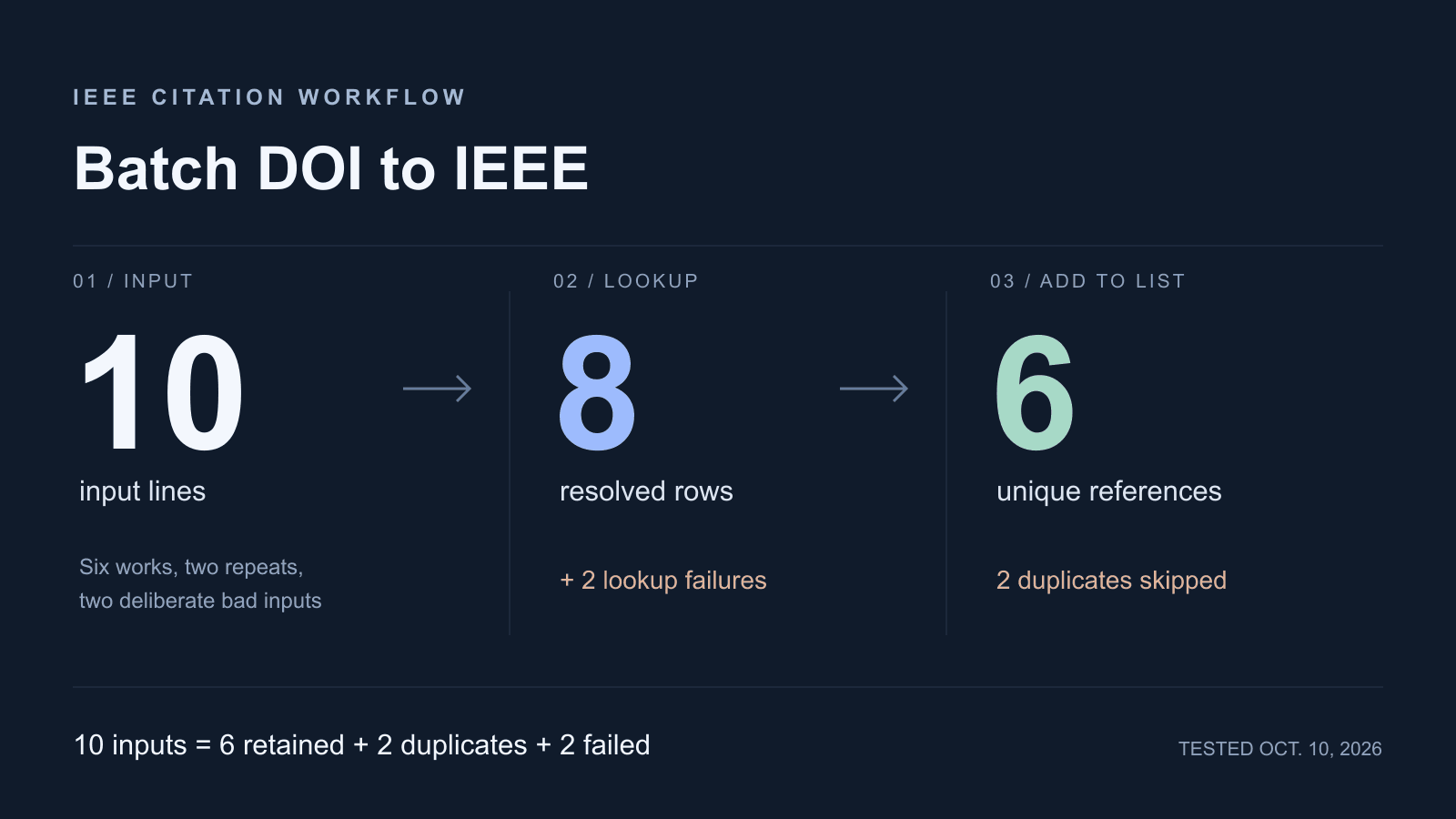
Paste one DOI per line in Batch sources, run the lookup, then inspect every result before adding it to your reference list. In our batch DOI to IEEE test, ten inputs produced eight resolved rows and six unique references after duplicates were skipped. Two rows failed. We ran this sample in Chrome on October 10, 2026 against the current tool code in a fresh local workspace. Use the counts below to account for every line; check publication fields separately.
Prepare a Small Batch
Open Batch sources, paste one DOI per line, and select Generate citations. The current tool trims each line and ignores blank lines. It processes up to 100 nonempty lines per run; additional lines are left out with a warning. Split a longer input yourself and keep a record of which lines belong to each run.
The sample below has six distinct publication DOIs, two alternate forms of existing entries, and two deliberately bad inputs. Row 9 contains an inserted space in a real DOI. Row 10 is a synthetic identifier used to demonstrate a failed lookup; it is not a publication to cite.
10.1109/5.771073
10.1038/nature14539
10.1109/CVPR.2016.90
10.1145/2939672.2939785
10.1038/nature16961
10.1162/neco.1997.9.8.1735
https://doi.org/10.1038/nature14539
doi:10.1109/cvpr.2016.90
10.1038/nature 14539
10.9999/ieee-batch-demo-no-record
Keep the original input beside your manuscript notes. The row numbers in the results identify input positions, so you can find an error even when other rows finish first. For a single source’s field checks, use the DOI to IEEE citation guide.
Review Successful, Failed, and Duplicate Records
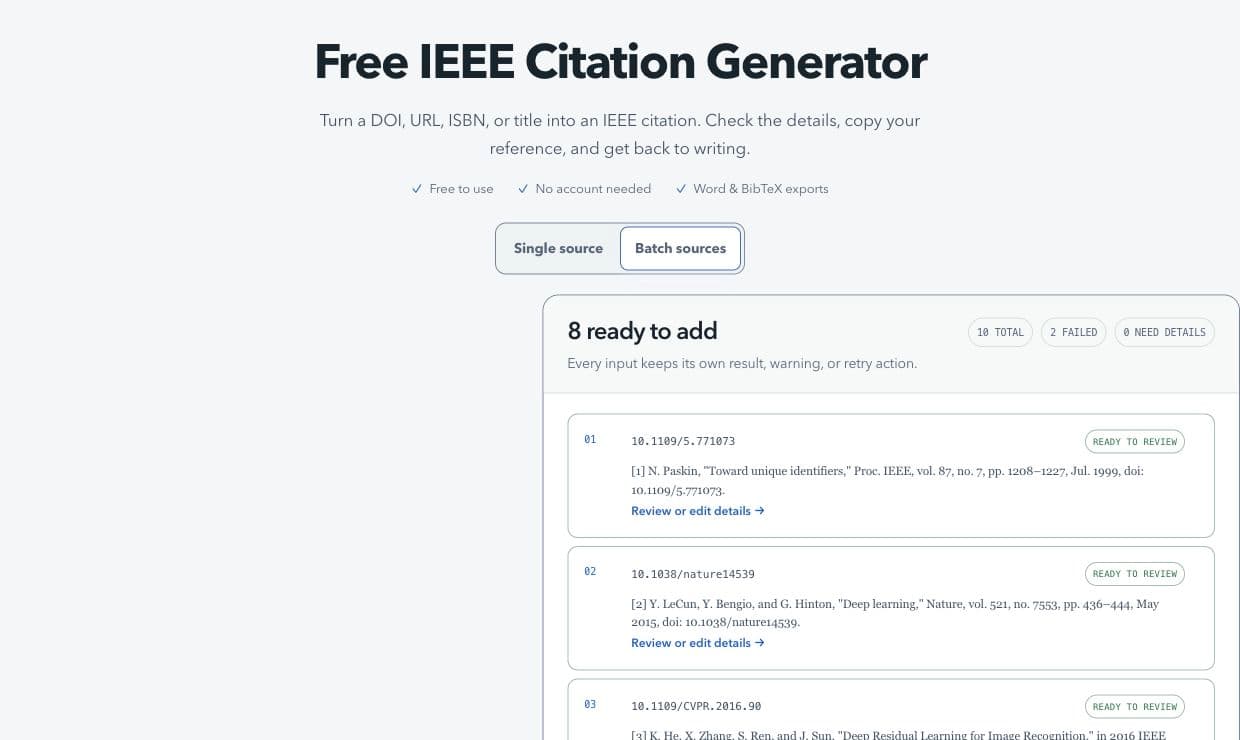
Our run finished with 8 ready to add, 10 total, 2 failed, and 0 need details. Both repeated DOIs still appeared among the eight successful rows. Duplicate removal happened when we selected Add ready references, which reported six additions and two skips.
| Input row | Matched source or failure | Result when added |
|---|---|---|
| 1 | Toward unique identifiers, 1999 journal article | Retained |
| 2 | Deep learning, 2015 journal article | Retained |
| 3 | Deep Residual Learning for Image Recognition, CVPR 2016 paper | Retained; conference details need review |
| 4 | XGBoost, KDD 2016 paper | Retained; title and location need correction |
| 5 | Mastering the game of Go with deep neural networks and tree search, 2016 journal article | Retained |
| 6 | Long Short-Term Memory, 1997 journal article | Retained |
| 7 | Same DOI as row 2, supplied as a resolver URL | Duplicate skipped |
| 8 | Same DOI as row 3, with a prefix and lowercase suffix | Duplicate skipped |
| 9 | Deliberately malformed DOI | Lookup failed; no reference added |
| 10 | Synthetic identifier with no retrieved record | Lookup failed; no reference added |
Ready to review means the lookup returned a record with enough fields to proceed. It can still have a Needs review format status in the reference list. Compare the authors, complete title, source type, publication date, and page range with the publication record.
Row 4 shows why that check matters. The returned title was only XGBoost. The publisher-deposited Crossref record stores A Scalable Tree Boosting System separately as its subtitle and lists San Francisco as the event location. Neither appeared in the initial reference. After adding the row, we used Edit in the reference list, restored the complete title, filled City and State or country, and selected Save changes.
For an unchanged input that timed out, try its Retry button. A typo needs a corrected input. Row 9 must become 10.1038/nature14539; retrying the space-containing string repeats the same lookup. Correct it in a new batch or use Single source. Since that DOI is already retained from row 2, its corrected copy should not increase the final unique count.
A real DOI can also fail because a metadata service is unavailable or lacks the record. Open its resolver link and check the publisher or repository before entering fields manually. A lookup error alone cannot establish that the source does not exist.
Reconcile the Final Count
| Measure | Count | What it includes |
|---|---|---|
| Nonempty inputs processed | 10 | All ten sample lines |
| Successfully resolved rows | 8 | Six distinct works plus two repeated DOIs |
| Failed lookups | 2 | Rows 9 and 10 |
| Duplicates skipped during addition | 2 | Rows 7 and 8 |
| New references added | 6 | Rows 1 through 6 |
| Final references retained | 6 | The list started empty |
The counts reconcile in two steps.
10 inputs = 8 resolved rows + 2 failed lookups
8 resolved rows = 6 added references + 2 duplicate skips
Final list = 0 starting references + 6 additions
Keep the two failures in your notes even though the list contains six entries. This ten-line test demonstrates handling, not a ten-source finished bibliography. Every genuine source your paper uses still needs a retained reference or an explicit decision to exclude it.
The tool checks duplicates against earlier entries in the same addition and sources already saved in your list. For DOI-bearing records, it compares the DOI case-insensitively after removing a resolver prefix. The first copy stays; a later copy’s richer fields are not merged into it. Check sources with different DOIs separately, even when their titles match.
Record the list’s starting size when it already has references. Its final size equals that starting size plus newly added entries, assuming you remove none. Also track Needs details, unchosen matches, cancelled rows, and capacity rejections separately. The list itself holds up to 100 references, so a 100-line batch does not guarantee room for 100 new items.
Order and Export the Reference List
Successful records enter the list in input order, with repeated DOIs skipped. Batch result numbers describe input rows; final reference numbers describe retained list positions. Confirm the order required by your venue, commonly first appearance in the manuscript. The IEEE reference guide also requires one reference per number and warns that editing references can require renumbering the text.
We moved the second retained entry, Deep learning, up one position. It became [1] and Paskin’s article became [2]; the list still held six references. Update the manuscript’s matching numbers yourself. This standalone tool does not read your document and renumber its citations.
The first reference then reads as follows, with the journal name italicized in rich output.
[1] Y. LeCun, Y. Bengio, and G. Hinton, "Deep learning," Nature, vol. 521, no. 7553, pp. 436-444, May 2015, doi: 10.1038/nature14539.After reviewing fields and order, choose Copy all or open Export. TXT, BibTeX, LaTeX, and DOCX are available. We downloaded the TXT file and checked that it contained six numbered entries, the new first entry, and the corrected XGBoost title and location.
TXT and DOCX preserve a static list. The LaTeX option exports formatted text without a database connected to \cite. If you already have a bibliography file, keep the original and check the BibTeX import guide for field and citation-key limits.
Batch DOI to IEEE Questions
Can I convert multiple DOIs to IEEE citations at once?
Yes. Use one identifier per line, with up to 100 nonempty lines in the current Batch sources mode. Review each result and reconcile additions with skipped duplicates and failures before exporting.
Why does “8 ready to add” produce only six references?
Ready rows are counted before duplicate removal. In this sample, two rows repeated already resolved DOIs. An existing list or a full list can reduce the number of new additions further.
Does “0 need details” mean the references are verified?
No. It means no resolved row failed the tool’s required-field check. The XGBoost subtitle was still missing. Compare each entry with its source, including fields that the tool treats as optional.